Best Practices for Improving Website User Experience in 2026
A website is often the first interaction people have with your business. Whether you’re running an online store, a company website, a portfolio, or a blog, visitors form an opinion within seconds of landing on your pages. If they find the website confusing, slow, or difficult to navigate, they’re likely to leave and look elsewhere. That’s why improving website user experience has become one of the most important priorities for businesses in 2026.
User experience (UX) is more than attractive design. It includes how quickly your pages load, how easily visitors can find information, how comfortable they feel using your website, and how smoothly they complete important actions such as making a purchase or submitting a contact form.
This guide explores the best practices for improving website user experience, helping you create a faster, more engaging, and user-friendly website that encourages visitors to stay longer and return again.
What Is Website User Experience?
Website user experience refers to the overall experience visitors have while interacting with your website. Every element—from navigation and page speed to content layout and mobile responsiveness—contributes to how users perceive your site.
A positive user experience helps visitors achieve their goals quickly and without frustration. Whether someone wants to read an article, compare products, or complete a purchase, the journey should feel simple and intuitive.
Good user experience focuses on:
- Ease of navigation
- Fast loading pages
- Clear content structure
- Attractive visual design
- Accessibility
- Mobile responsiveness
- User satisfaction
When visitors enjoy using your website, they are more likely to trust your brand and engage with your content.
Why Improving Website User Experience Matters
User experience affects almost every important website metric.
A well-designed website can:
- Increase visitor engagement
- Improve search engine rankings
- Reduce bounce rates
- Increase conversions
- Build customer trust
- Encourage repeat visits
- Strengthen brand reputation
Search engines also consider user experience when evaluating websites, making UX an important part of long-term SEO success.
Website User Experience Checklist
The following checklist highlights the most important areas to focus on when improving website user experience.
| Area | Why It Matters |
|---|---|
| Fast page speed | Reduces waiting time and improves satisfaction |
| Mobile-friendly design | Provides a consistent experience across devices |
| Clear navigation | Helps visitors find information quickly |
| High-quality content | Keeps users engaged and informed |
| Accessibility | Makes the website usable for everyone |
| Visual consistency | Creates a professional appearance |
| Strong calls-to-action | Guides users toward desired actions |
| Secure browsing (HTTPS) | Builds trust and protects user data |
Understand Your Target Audience
Every successful website begins with understanding its visitors.
Before making design decisions, identify who will use your website.
Consider factors such as:
- Age group
- Interests
- Technical knowledge
- Goals
- Preferred devices
- Common problems
A website designed for business professionals will look and function differently from one targeting students or online shoppers.
Understanding your audience allows you to create a more personalized and effective experience.
Create Simple and Intuitive Navigation
Visitors should never struggle to locate important information.
A clear navigation structure helps users move through your website naturally.
Best Navigation Practices
- Keep menus organized.
- Limit unnecessary menu items.
- Use descriptive labels.
- Include a search function.
- Maintain consistent navigation across pages.
The fewer clicks required to reach important content, the better the overall user experience.
Improve Website Loading Speed
Speed remains one of the most important factors when improving website user experience.
Visitors expect websites to load quickly. Even small delays can increase bounce rates and reduce engagement.
Ways to Improve Performance
Some practical optimization techniques include:
- Compressing images
- Using modern image formats
- Enabling browser caching
- Minifying CSS and JavaScript files
- Reducing unnecessary plugins
- Choosing reliable web hosting
- Using a Content Delivery Network (CDN)
Faster websites provide a smoother browsing experience while supporting better SEO performance.
Make Your Website Mobile-Friendly
More users browse the internet on smartphones than on desktop computers.
A responsive website automatically adjusts to different screen sizes, ensuring visitors enjoy a consistent experience regardless of the device they use.
Mobile Optimization Tips
- Use responsive layouts.
- Optimize font sizes.
- Create touch-friendly buttons.
- Avoid horizontal scrolling.
- Simplify navigation menus.
- Test your website on multiple devices.
Mobile usability should be considered from the beginning of every website project rather than treated as an afterthought.
Write Content That Is Easy to Read
Design attracts visitors, but content keeps them engaged.
Well-written content should be:
- Informative
- Well-organized
- Easy to scan
- Free from unnecessary jargon
- Focused on solving user problems
Break content into smaller sections using descriptive headings, short paragraphs, and bullet lists where appropriate.
This improves readability and helps visitors quickly locate the information they need.
Use Clear Calls-to-Action
Every page should guide users toward the next step.
Examples include:
- Contact Us
- Learn More
- Download Now
- Start Free Trial
- Subscribe
- Shop Now
Calls-to-action should stand out visually while remaining relevant to the page’s purpose.
Avoid overwhelming visitors with too many competing buttons.
Improve Visual Design
Visual design directly influences how users perceive your website.
A clean, modern design creates a stronger first impression than a cluttered interface.
Design Best Practices
Maintain consistency with:
- Colors
- Typography
- Button styles
- Icons
- Image quality
- Spacing
White space is equally important because it improves readability and prevents pages from feeling overcrowded.
Build Trust Through Social Proof
Visitors are more likely to trust businesses that demonstrate credibility.
Some effective forms of social proof include:
- Customer reviews
- Testimonials
- Case studies
- Awards
- Certifications
- Client logos
- Success stories
Displaying authentic customer experiences helps reduce uncertainty and encourages conversions.
Improve Accessibility
Accessibility ensures your website can be used by as many people as possible, including individuals with disabilities.
Consider implementing:
- Descriptive alt text
- Keyboard navigation
- Sufficient color contrast
- Readable fonts
- Proper heading hierarchy
- Accessible forms
Improving accessibility benefits all users while supporting inclusive web design.
Strengthen Website Security
Visitors expect websites to protect their information.
Security measures improve trust while helping safeguard sensitive data.
Important security practices include:
- HTTPS encryption
- Regular software updates
- Strong passwords
- Secure login systems
- Malware monitoring
- Automatic backups
A secure website contributes to both user confidence and long-term reliability.
Optimize Forms for Better Conversions
Lengthy or confusing forms often discourage users from completing important actions.
Keep forms:
- Short
- Simple
- Easy to understand
Only request information that is genuinely necessary.
Clear labels and helpful error messages also improve the overall experience.
Reduce Distractions
Too many pop-ups, animations, or advertisements can frustrate visitors.
Instead:
- Limit intrusive pop-ups.
- Use animations sparingly.
- Avoid autoplay media.
- Keep page layouts clean.
A distraction-free environment helps users remain focused on your content.
Personalize the User Experience
Modern websites increasingly deliver personalized experiences based on visitor behavior.
Examples include:
- Product recommendations
- Recently viewed items
- Personalized greetings
- Relevant content suggestions
- Location-specific information
Thoughtful personalization improves engagement without overwhelming users.
Monitor User Behavior
Understanding how visitors interact with your website helps identify opportunities for improvement.
Useful metrics include:
- Bounce rate
- Average session duration
- Conversion rate
- Exit pages
- Click behavior
- Scroll depth
Regular analysis allows you to make informed improvements instead of relying on assumptions.
Continuously Test and Improve
Website optimization never truly ends.
Regular testing helps identify areas where the user experience can improve.
Common tests include:
- Navigation changes
- Button placement
- Headlines
- Page layouts
- Form design
- Landing pages
Small adjustments can produce significant improvements over time.
Common User Experience Mistakes
Avoid these common problems when improving website user experience:
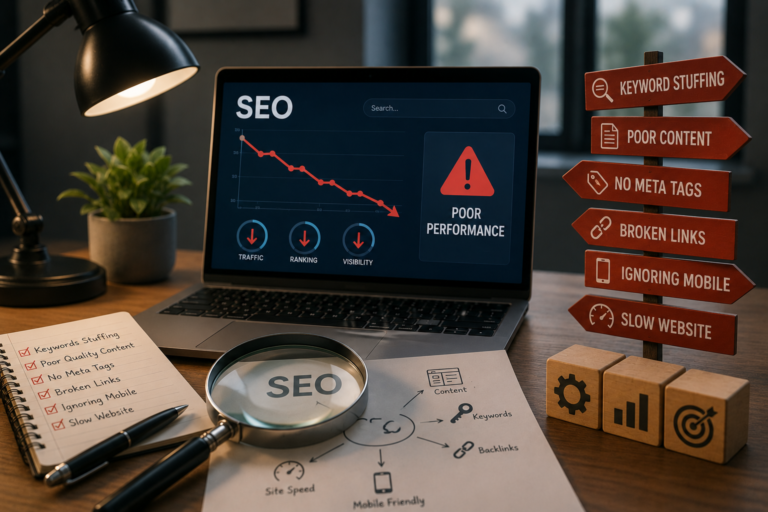
- Slow loading pages
- Confusing navigation
- Too many pop-ups
- Poor mobile optimization
- Weak readability
- Broken links
- Inconsistent design
- Difficult forms
- Outdated content
- Ignoring user feedback
Reviewing your website regularly helps identify and correct these issues before they affect user satisfaction.
Website User Experience Improvement Checklist
| Task | Completed |
|---|---|
| Website loads quickly | ☐ |
| Responsive on all devices | ☐ |
| Navigation is easy to use | ☐ |
| Content is easy to read | ☐ |
| Calls-to-action are clear | ☐ |
| Images are optimized | ☐ |
| Website uses HTTPS | ☐ |
| Accessibility improvements implemented | ☐ |
| Forms are simple to complete | ☐ |
| User behavior is monitored regularly | ☐ |
Frequently Asked Questions
What does improving website user experience mean?
Improving website user experience involves making your website easier to navigate, faster to load, more visually appealing, and more helpful for visitors so they can achieve their goals without frustration.
Why is user experience important for SEO?
Search engines aim to provide users with high-quality websites. Fast loading speeds, mobile responsiveness, easy navigation, and engaging content all contribute to better user experience, which can positively influence search visibility.
How can I improve my website’s loading speed?
You can improve performance by compressing images, minimizing unnecessary code, enabling browser caching, reducing plugins, and choosing reliable web hosting.
Does mobile optimization improve user experience?
Yes. Since many visitors browse websites using smartphones and tablets, responsive design ensures your website functions properly across different screen sizes, creating a smoother experience for all users.
How often should I review my website’s user experience?
It’s a good practice to evaluate your website regularly, especially after major updates, redesigns, or changes in user behavior. Continuous testing and improvement help maintain a positive experience over time.
Final Thoughts
Improving website user experience is one of the most valuable investments you can make for your online presence. A fast, intuitive, and user-friendly website not only keeps visitors engaged but also builds trust, strengthens your brand, and supports long-term business growth.
Rather than focusing on a single aspect of website optimization, aim to create a balanced experience that combines responsive design, high-quality content, strong performance, accessibility, and clear navigation. Small improvements made consistently can have a significant impact on visitor satisfaction and overall website performance.
As technology and user expectations continue to evolve, regularly reviewing and refining your website will ensure it remains competitive, relevant, and enjoyable for every visitor.