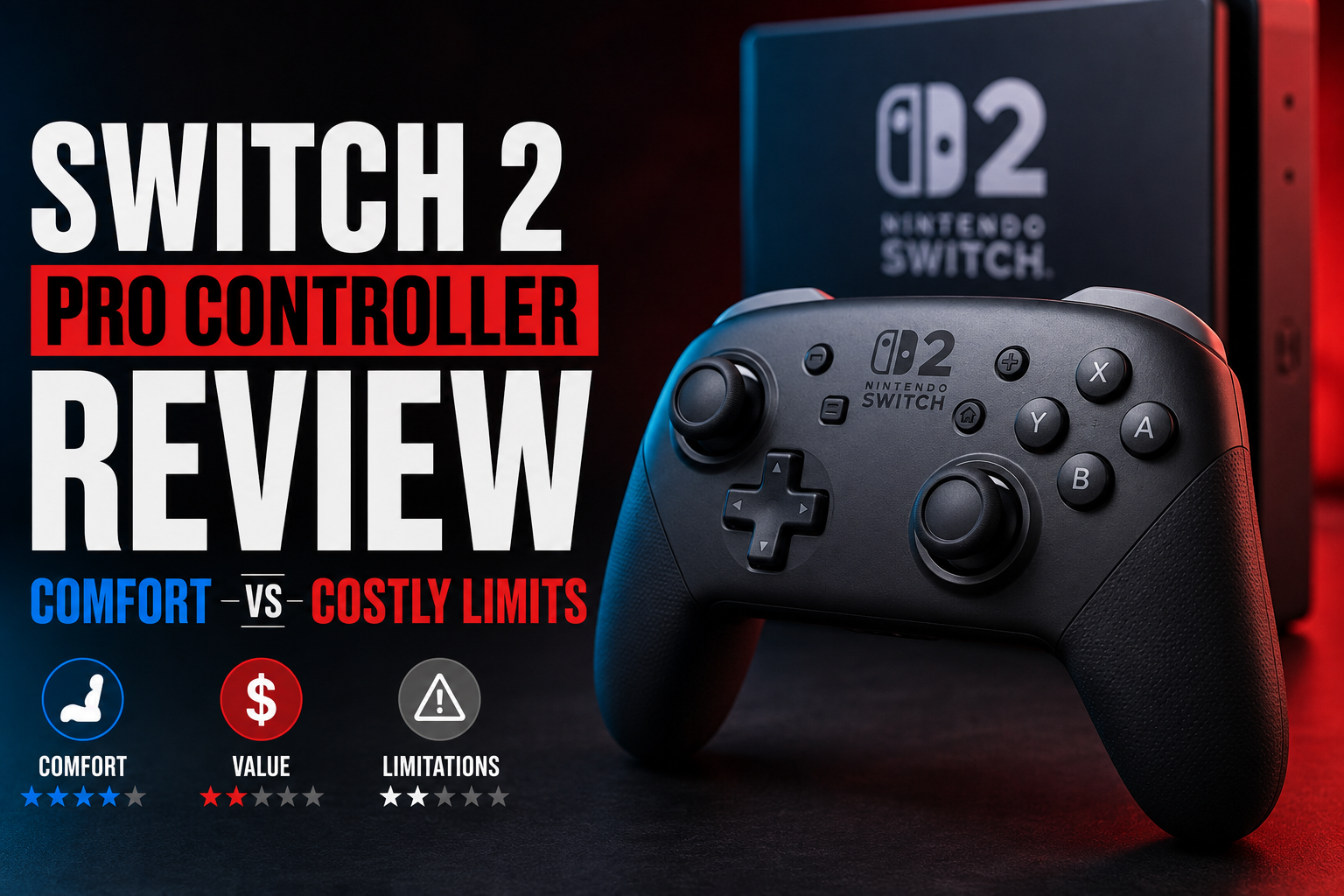
Switch 2 Pro Controller Review: Comfort vs Costly Limits
Switch 2 Pro controller ownership feels like a bet: you pay a premium for comfort, official features and polish, but you also accept trade-offs Nintendo hasn’t fixed — namely repairability and the continued use of potentiometer sticks instead of hall effect joysticks. After weeks with Donkey Kong Bananza and an assortment of third-party pads, the choice comes down to what you value most: a nearly seamless first-party experience or a cheaper, more powerful-feeling alternative that may require patience and patches.
Switch 2 Pro controller: comfort vs. compromises
The Pro 2’s ergonomics are excellent. Its oversized face buttons, rubbery analog caps and general heft make it feel like a controller built for long sessions and big swings. The built-in headphone jack and programmable back paddles are welcome additions that set it apart from many cheaper alternatives. Nintendo also gives the Pro 2 exclusive abilities — like using its system software to program rear buttons and waking the console from sleep — that third-party controllers can’t match right now.
Still, the Pro 2 isn’t perfect. iFixit’s damning review about repair difficulty echoes a real concern: the controller is hard to open and repair, which matters when the sticks eventually wear. Unlike models that use hall effect joysticks to minimize controller drift over time, Nintendo stuck with potentiometers. That leaves the Pro 2 vulnerable to the same stick drift complaints that have plagued other controllers, and it’s an awkward juxtaposition on a nearly $100 device. The soft L and R triggers and a spongy D-pad also hurt its appeal to fighting-game players and anyone who wants crisp shoulder input.
How the Pro 2 stacks up to third-party options
Third-party Switch 2 controllers like the 8BitDo Ultimate 2 and Gulikit Elves 2 Pro offer tempting alternatives. In my testing, 8BitDo’s Ultimate 2 brought ferocious controller rumble that felt more tactile and satisfying than Nintendo’s relatively understated haptics. Gulikit’s Elves 2 Pro has good gyro performance and a pleasant feel, especially for its price. Both are more affordable and, in the case of some models, come with features that enthusiasts appreciate.
But the easy comparisons stop there. The Switch 2 uses a different connection protocol than its predecessor, and that has created teething problems for third-party makers. Both 8BitDo and Gulikit required firmware updates and occasional re-pairing headaches. Sometimes pairing took seconds; other times it took over a minute. More troubling were intermittent disconnects during multiplayer sessions — an annoyance that’s hard to overlook if you’re competitive or play online co-op frequently.
- 8BitDo Ultimate 2: Powerful rumble and accurate gyro; potential pairing delays and occasional gyro recognition hiccups.
- Gulikit Elves 2 Pro: Good gyro and solid feel but subject to the same connectivity quirks as other third-party options.
- PowerA Advantage (wired): Affordable and officially licensed but lacks features like gyro and the Pro 2’s programmable button support.
- Gulikit KK3 Max: Strong rumble and gyro controls — another option to consider if you can live with connection inconsistencies.
Controller drift, repairability and long-term value
Controller drift remains a significant consideration. Hall effect joysticks reduce drift risk by using magnetic sensing rather than mechanical pots, but Nintendo didn’t adopt them in the Pro 2. That means drift is still a realistic possibility over the controller’s lifetime. Third-party makers vary: some newer high-end controllers include hall effect sticks, while many budget pads still rely on potentiometers.
Repairability matters when you factor in what happens if drift or failure occurs. iFixit’s criticism that the Pro 2 is difficult to disassemble suggests higher long-term service costs or inevitable replacement. If you’re someone who expects to replace parts or open controllers for maintenance, third-party options with easier teardown or official repair pathways might be preferable — assuming their connectivity and warranty terms meet your needs.
Should you buy the Pro 2 or a third-party controller?
If you prioritize a frictionless, fully featured experience — easy button remapping through the console, the ability to wake the system and dependable compatibility — the Switch 2 Pro controller is the safer pick despite its flaws. For many players, especially those who already invested in the Switch 2 hardware, that polish is worth the nearly $100 price tag.
If cost, stronger rumble, or specific hardware features matter more, third-party controllers like the 8BitDo Ultimate 2 or Gulikit offerings are compelling. Expect to wrestle with firmware updates and occasional pairing issues, and be ready to accept that only Nintendo’s Pro 2 currently integrates all system-level conveniences. The PowerA Advantage remains the budget option, but its lack of gyro and limited system integration means you give up modern conveniences for a lower price.
Practical buying tips
- If you buy the Pro 2, consider getting controller insurance or an extended warranty — especially given the potential for stick wear and the difficulty of repairs.
- If you choose a third-party pad, check for up-to-date firmware on the manufacturer’s website before pairing and expect to update again as manufacturers refine support.
- For competitive play or fighting games, test D-pad and bumper responsiveness in-store if possible; the Pro 2’s D-pad and bumpers didn’t meet my standards for high-precision inputs.
- If strong rumble and gyro feel are high priorities, give the 8BitDo Ultimate 2 a serious look, but be mindful of the occasional connection frustrations.
At the end of the day, Nintendo’s Pro 2 controller is an invitation to convenience — official features, easy setup and deep system integration — at a premium price and with a few questionable engineering choices. Third-party controllers offer bold alternatives that can outshine Nintendo on features like rumble and value, but they come with a new set of compromises: patchwork connectivity and inconsistent system-level support. Choose based on what you can’t live without: flawless compatibility or feature-rich value — and whether you’re prepared to gamble on long-term durability and repair options.