WhatsApp Liquid Glass redesign arrives on Mac
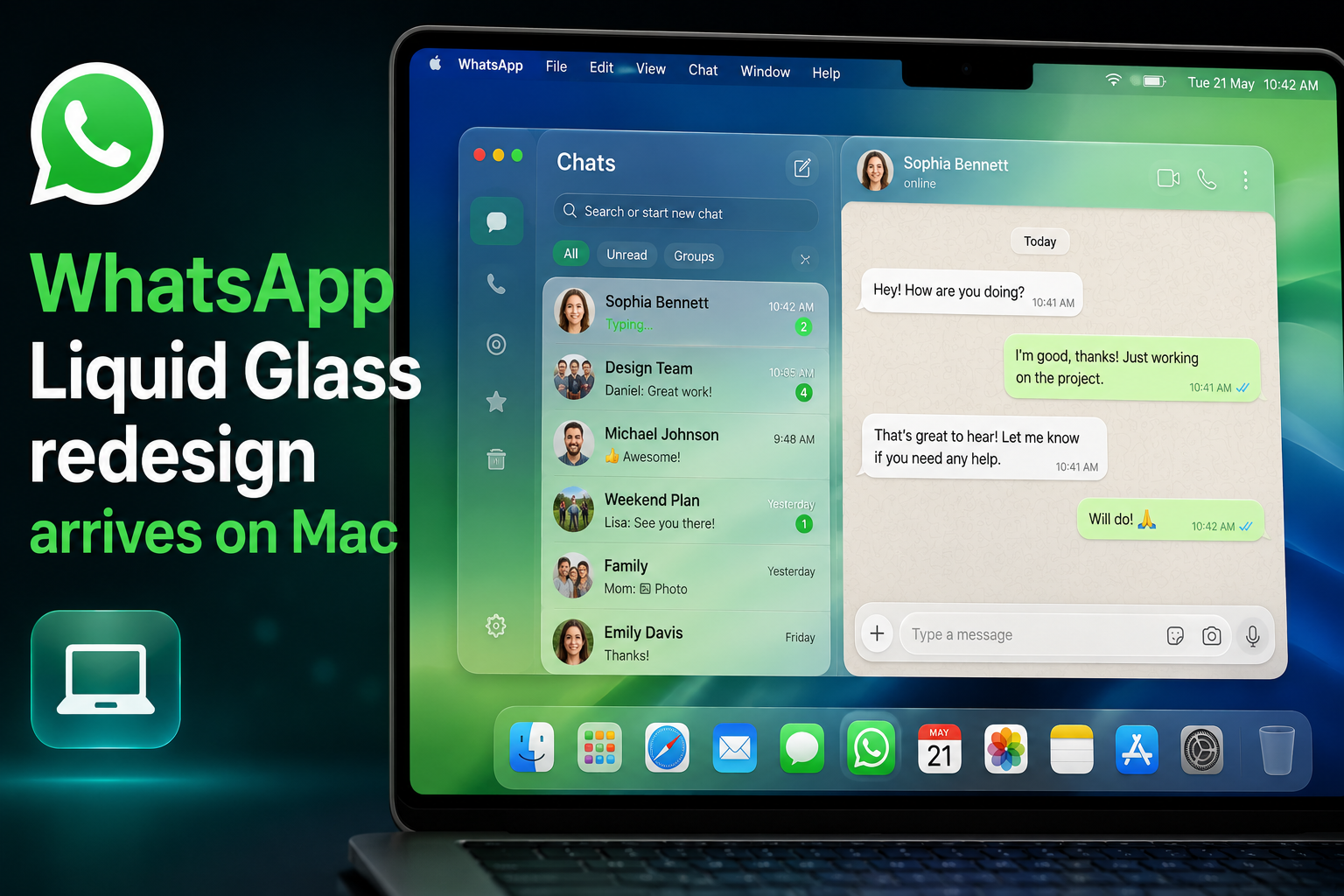
WhatsApp Mac Liquid Glass is finally rolling out to desktop users, bringing the Mac app closer to the refreshed look iPhone and iPad owners have already seen. According to WABetaInfo, the update is arriving through the Mac App Store and is currently reaching a limited group of accounts as Meta expands the redesign.
WhatsApp Mac Liquid Glass
The Liquid Glass update doesn’t add new messaging capabilities or AI tools. Instead, it focuses squarely on aligning the WhatsApp Mac app with Apple’s modern design language. That means redesigned navigation elements, cleaner menus, and a layout that mirrors the visual cues on iOS and iPadOS.
Key interface changes include a reorganized sidebar that groups conversations and navigation in a clearer way, a refreshed chat bar and attachment menu, plus subtle visual tweaks across the app to create a more cohesive appearance. These modifications aim to reduce the jarring feeling users sometimes get when switching between phone and desktop.
Locked Chats and Communities move to prominent places
One practical improvement is the separation of Locked Chats into their own section. On the Mac app, locked conversations previously appeared alongside standard chats; the Liquid Glass redesign now hides them behind an authentication step and places them in a dedicated area, matching the privacy behavior already present on iPhone.
Communities have also been promoted from the deeper chat list to the sidebar, making it easier to jump between community groups and individual conversations without digging through the main chat view. These changes improve discoverability and mirror the organizational approach used on mobile.
Where this update came from
WhatsApp began experimenting with the Liquid Glass design on iOS last October and expanded those visual changes more broadly earlier this year. The Mac app received smaller tweaks in recent weeks, but this release unifies those adjustments into a single, consistent experience for desktop users.
WABetaInfo’s reporting indicates the rollout is gradual. Expect the new interface to reach more accounts over the coming weeks rather than all at once.
Why design consistency matters for WhatsApp
It’s easy to write off interface updates as purely cosmetic, but visual consistency matters — especially for desktop messaging apps that are integral to work and personal communication. Many people now split their messaging time between phones and Macs, and when the look and navigation differ significantly, switching devices can interrupt workflow and cause friction.
Apple’s recent OS updates emphasize a unified design language across devices, and WhatsApp’s Liquid Glass update for macOS follows that direction. By adopting Apple design language elements, Meta is making the WhatsApp Mac app feel less like a separate product and more like a true extension of the mobile experience.
For users who rely on WhatsApp for work, family chats, or communities, the desktop update aims to deliver a familiar, polished interface that reduces cognitive load when moving between screens.
As the Liquid Glass update expands, Mac users should expect a more visually consistent WhatsApp Mac app with clearer navigation, better privacy handling for Locked Chats, and easier access to Communities. The change signals Meta’s continued investment in the WhatsApp desktop experience and its effort to keep macOS WhatsApp design in step with the rest of the platform.