How to Opt Out of AI Chatbot Data Collection
If you want to opt out of AI chatbots, start by tweaking a few privacy controls so your chats aren’t used to train future models. AI chatbots are everywhere — people use them for everything from quick questions to sensitive topics like health and therapy — which means your AI chatbot data can easily be stored and reused unless you act.
How to opt out of AI chatbots collecting your data
Most chatbots include a setting that allows the company to use your inputs for model training. Two simple steps will protect most users: turn off model-improvement or training settings, and delete old conversations you don’t want preserved. If your data has already been used to train a model, there may be no way to fully remove it from that trained system, so prevention is the best strategy.
Google and Gemini
Google requires changes in both your Google account and Gemini to prevent new data from being used for training.
- Google: Visit myactivity.google.com, open Web & App Activity and turn it off. This stops new searches, location signals and other activity from being logged to your account for training. Turning it off won’t remove existing records — use the Delete option on that page to remove activity for a chosen time range or all time. This is an essential step to protect AI chatbot data tied to your Google account.
- Gemini: Sign in to Gemini, open the Settings cog > Activity and set the drop-down to Off. Then manually delete existing conversations by clicking Delete and selecting your desired time range.
Claude (Anthropic)
Anthropic makes it straightforward to prevent Claude from using your conversations for model improvement.
- Log in to Claude, click your profile, go to Settings > Privacy and toggle Help improve our AI models to off. While you’re there, consider disabling Location metadata if available.
- To delete previous chats: open Chats in the left sidebar, use Select Chats > Select all > Delete.
Note: Anthropic’s policy states deleted chats may be retained in back-end systems for up to 30 days. Turning off model improvement prevents future use, but it won’t remove data already used in training that’s currently in progress.
ChatGPT (OpenAI)
ChatGPT is widely used, so check these settings if you want to stop AI training opt out and remove past conversations.
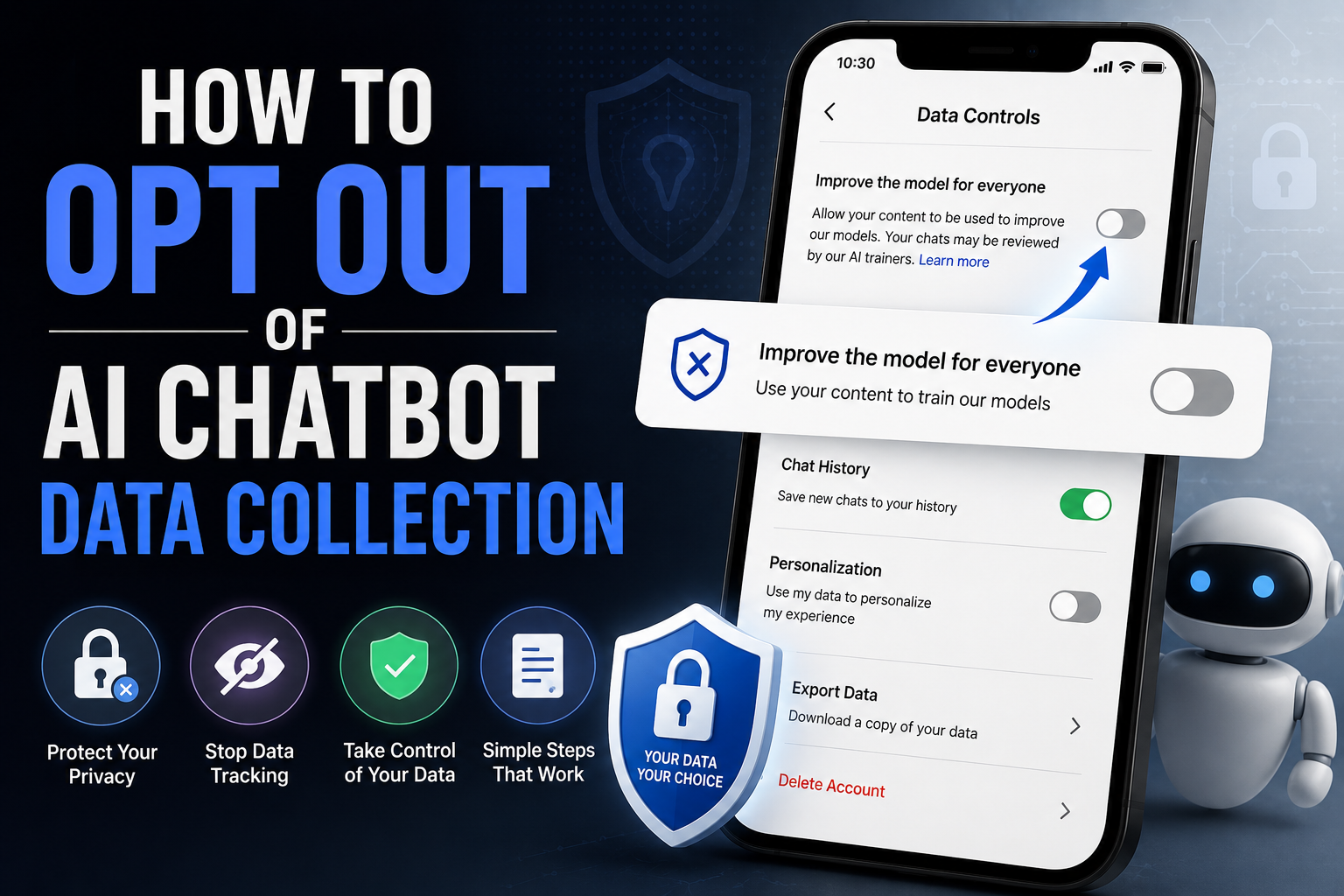
- Log in, click your profile icon > Settings > Data controls. Switch Improve the model for everyone off to stop OpenAI from using your inputs for model training.
- The same Data controls area lets you remove audio and video recordings and delete all chats via the provided button.
Like Anthropic, OpenAI retains deleted chats for up to 30 days in case of recovery or audit. If you previously allowed model improvement, those conversations may have fed into training that can’t be undone.
Meta (Facebook & Instagram)
Stopping Meta from using your data to train AI is less straightforward. There isn’t a single, guaranteed opt-out that applies universally across Meta’s services.
- Make profiles private and limit what you post publicly. This reduces the pool of data Meta can draw from.
- If you want stronger assurance, consider deleting your Facebook or Instagram accounts entirely.
- Instagram offers specific options to limit others’ reuse of your media, which can help protect against image reuse and deepfakes.
- Meta may offer additional forms or requests to remove content from training; results are not guaranteed and may require submitting a support form.
Grok (X / formerly Twitter)
X gives users explicit controls to prevent public data and interactions from being used to train Grok.
- On X, go to More > Settings and privacy > Privacy and safety > Grok & Third-Party Collaborators.
- Uncheck Allow your public data as well as your interactions, inputs, and results with Grok and XAI to be used for training and fine-tuning.
- Consider also turning off Allow X to personalize your experience with Grok and Allow Grok to remember your conversation history. You can delete Grok conversation history from the same menu.
General steps for other chatbots and AI tools
Many services hide training or data-sharing toggles in privacy or data settings. If you want to stop AI using my data across multiple platforms, follow these guidelines:
- Check account settings for any option named model improvement, help improve our AI models, or similar, and disable it.
- Look for conversation history or activity controls and delete old chats you don’t want retained. Search menus for Delete, Clear, or Remove conversation history.
- Disable location, metadata, or media-sharing options where possible to minimize sensitive data attached to conversations.
- Make public profiles private and limit public posts to reduce your exposure to scraping or reuse.
Final notes on protecting your data
Opting out and deleting chats are the two most effective ways to protect chatbot data and stop future AI training on your inputs. Be proactive — once data has been used to train a model, it can’t always be removed or unwound.
Keep an eye on chatbot privacy settings and revisit them periodically. New AI tools appear frequently, and each may have different procedures for AI training opt out, AI data deletion, or disabling model improvement. This AI privacy guide should help you protect what you share and make better choices about how and when to use these services.