Best Cloud Storage Services in 2026: A Comprehensive Comparison
Cloud storage has become an essential part of both personal and professional life. Whether you’re backing up family photos, collaborating on work documents, managing business files, or syncing data across multiple devices, choosing the best cloud storage services can save time, improve productivity, and protect your valuable information.
The cloud storage market has evolved significantly over the past few years. Today’s services offer far more than simple file storage—they include automatic backups, real-time collaboration, advanced security, file version history, cross-platform compatibility, and AI-powered productivity features.
With dozens of providers available, selecting the right platform can feel overwhelming. Each service has its own strengths, pricing models, storage options, and ecosystem integrations.
This comprehensive comparison explores the best cloud storage services in 2026, comparing their features, security, pricing, usability, and ideal use cases to help you make an informed decision.
Why Cloud Storage Matters in 2026
Cloud storage is no longer just a convenient option—it has become a necessity for individuals, students, freelancers, businesses, and remote teams.
Instead of storing important files only on a computer or external hard drive, cloud storage keeps your data securely synchronized across multiple devices.
The major benefits include:
- Access files from anywhere
- Automatic backup
- File synchronization
- Team collaboration
- Version history
- Secure sharing
- Disaster recovery
- Reduced dependence on physical storage devices
Whether you’re switching laptops, upgrading your smartphone, or working remotely, cloud storage ensures your files remain available whenever you need them.
What to Look for in the Best Cloud Storage Services
Before choosing a provider, evaluate these important factors.
Storage Capacity
Storage requirements vary depending on your needs.
For example:
- Documents require very little storage.
- High-resolution photos require much more.
- 4K videos consume storage rapidly.
Choose a provider that offers enough room for future growth rather than only your current needs.
Security
Security should be a top priority.
Look for services that provide:
- Two-factor authentication (2FA)
- Data encryption
- Secure file transfers
- Device management
- Login alerts
- Ransomware recovery
- Zero-knowledge encryption (where available)
Your files are only as secure as the platform protecting them.
File Sharing
Modern cloud storage isn’t just about saving files.
Good file-sharing features allow you to:
- Share folders
- Create secure download links
- Set expiration dates
- Protect files with passwords
- Control editing permissions
- Collaborate in real time
These features are especially important for businesses and remote teams.
Cross-Platform Compatibility
The best cloud storage services work seamlessly across:
- Windows
- macOS
- Linux
- Android
- iPhone
- Tablets
- Web browsers
This flexibility allows you to continue working regardless of which device you’re using.
Pricing
Don’t only compare monthly costs.
Consider:
- Free storage
- Paid storage upgrades
- Family plans
- Business plans
- Lifetime plans (where available)
- Value per gigabyte
Sometimes paying slightly more provides significantly better features.
Comparison Table: Best Cloud Storage Services in 2026
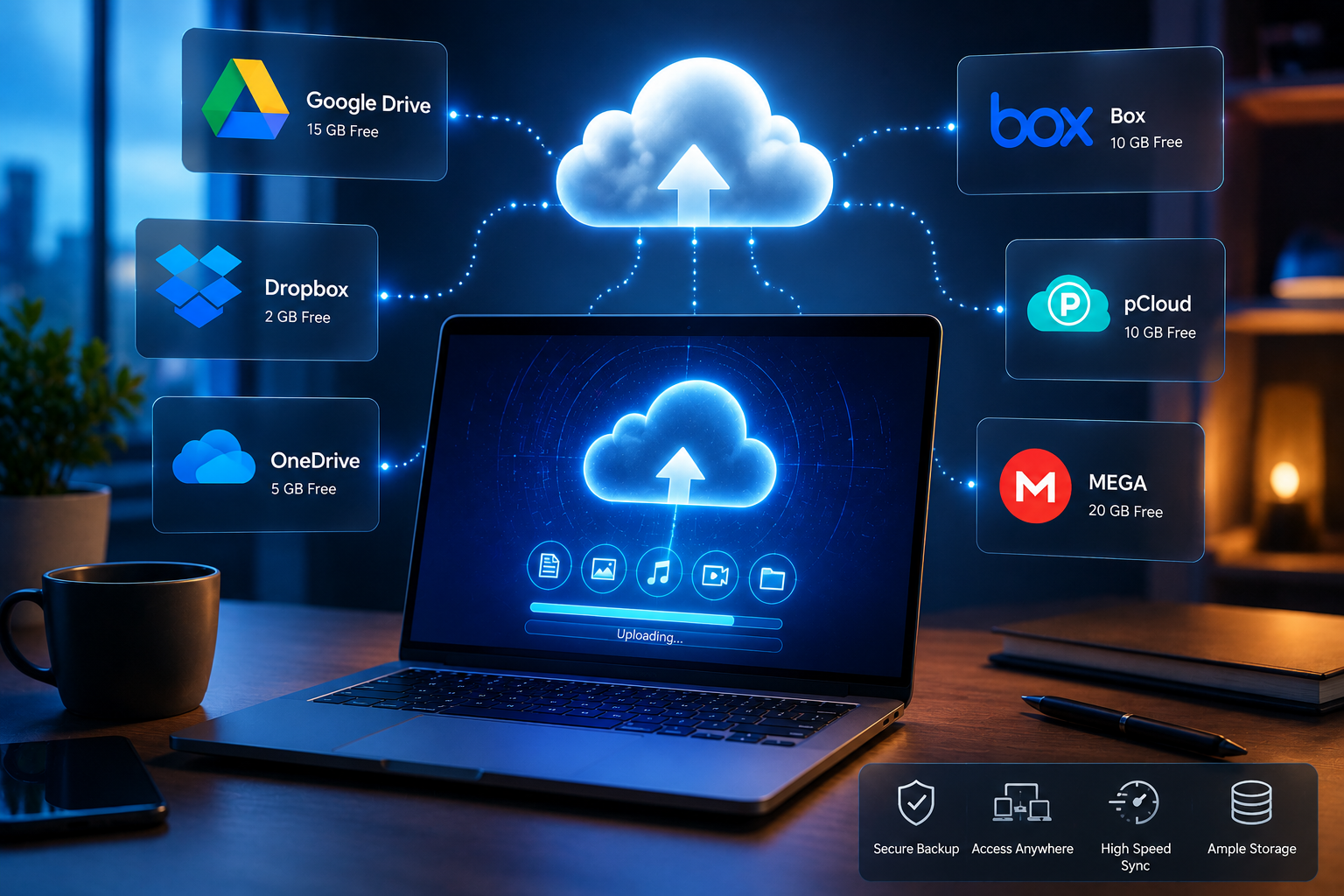
| Cloud Storage Service | Free Storage | Best For | Major Strength | Potential Limitation |
|---|---|---|---|---|
| Google Drive | 15 GB | Students & general users | Google Workspace integration | Privacy concerns for some users |
| Microsoft OneDrive | 5 GB | Microsoft Office users | Windows integration | Limited free storage |
| Dropbox | 2 GB | Teams & collaboration | Excellent file syncing | Small free plan |
| pCloud | 10 GB | Long-term storage | Lifetime plans & security | Collaboration features are more limited |
| iCloud | 5 GB | Apple users | Seamless Apple ecosystem | Best experience limited to Apple devices |
Google Drive
Google Drive remains one of the most widely used cloud storage platforms in the world.
Its biggest advantage is deep integration with Google’s productivity ecosystem.
Users can easily create and edit:
- Documents
- Spreadsheets
- Presentations
- Forms
- PDFs
without installing additional software.
Advantages
- Generous free storage
- Excellent collaboration tools
- Fast file synchronization
- Powerful search capabilities
- Easy sharing
- Strong mobile applications
Limitations
Although Google Drive performs exceptionally well for productivity, advanced permission management isn’t as flexible as some enterprise-focused alternatives.
It also relies heavily on Google’s ecosystem, which may not appeal to every user.
Best For
- Students
- Freelancers
- Remote workers
- Small businesses
- Everyday users
Microsoft OneDrive
Microsoft OneDrive is an excellent choice for users already working within Microsoft’s ecosystem.
Its integration with Microsoft Office applications makes document editing seamless.
Users can collaborate directly inside:
- Word
- Excel
- PowerPoint
- Outlook
- Microsoft Teams
without leaving the platform.
Advantages
- Outstanding Office integration
- Excellent Windows compatibility
- Automatic PC backup
- Strong security
- Good collaboration tools
Limitations
The free storage allowance is relatively small compared to some competitors.
Best For
- Windows users
- Office professionals
- Corporate environments
- Microsoft 365 subscribers
Dropbox
Dropbox helped popularize cloud storage and remains one of the most reliable services available.
Its greatest strength is file synchronization.
Changes made on one device appear almost instantly across others.
Dropbox also offers one of the cleanest and simplest user interfaces.
Advantages
- Industry-leading synchronization
- Excellent collaboration
- Easy file sharing
- Reliable performance
- Wide third-party integrations
Limitations
The free storage plan is one of the smallest among major providers.
Premium plans may also be more expensive for users needing large amounts of storage.
Best For
- Creative professionals
- Designers
- Marketing teams
- Businesses collaborating on large projects
pCloud
pCloud has steadily gained popularity by focusing on privacy, affordability, and flexible storage plans.
Unlike many competitors, pCloud offers optional lifetime storage plans, allowing users to pay once rather than maintaining an ongoing subscription.
Advantages
- Generous free storage
- Optional lifetime plans
- Strong privacy options
- Media streaming support
- User-friendly interface
Limitations
Its collaboration features aren’t as advanced as those found in Google Drive or Dropbox.
Best For
- Personal backups
- Long-term storage
- Photographers
- Budget-conscious users
iCloud
Apple users often prefer iCloud because it integrates naturally across Apple devices.
Photos, contacts, notes, passwords, calendars, and backups synchronize automatically.
Users rarely need additional configuration.
Advantages
- Excellent Apple integration
- Automatic backups
- Photo synchronization
- Family sharing
- Simple setup
Limitations
iCloud works best inside Apple’s ecosystem.
Users with Windows or Android devices may find fewer features compared to native Apple users.
Best For
- iPhone users
- Mac users
- Families using Apple devices
Feature Comparison Table
| Feature | Google Drive | OneDrive | Dropbox | pCloud | iCloud |
|---|---|---|---|---|---|
| File Sync | ✅ | ✅ | ✅ | ✅ | ✅ |
| File Sharing | Excellent | Excellent | Excellent | Good | Good |
| Office Collaboration | Excellent | Excellent | Good | Limited | Basic |
| Mobile Apps | Excellent | Excellent | Excellent | Excellent | Excellent |
| Offline Access | ✅ | ✅ | ✅ | ✅ | ✅ |
| Automatic Backup | ✅ | ✅ | ✅ | ✅ | ✅ |
| Password-Protected Sharing | Limited | Good | Good | Good | Limited |
| Two-Factor Authentication | ✅ | ✅ | ✅ | ✅ | ✅ |
Security Comparison
Security has become one of the most important considerations when selecting cloud storage.
The best cloud storage services invest heavily in protecting user data.
Common security features include:
- AES encryption
- TLS encrypted transfers
- Two-factor authentication
- Login monitoring
- Device management
- Version history
- File recovery
Some providers also offer additional privacy-focused encryption options for users storing highly sensitive information.
Collaboration Features
Businesses increasingly rely on cloud storage for teamwork.
Important collaboration tools include:
- Real-time editing
- Shared folders
- Permission management
- File comments
- Activity history
- Version control
Google Drive and Microsoft OneDrive currently offer some of the strongest collaboration experiences because of their productivity suites.
Dropbox also performs exceptionally well for team collaboration.
Performance and Speed
Upload and download speeds depend largely on:
- Internet connection
- File size
- Geographic location
- Server availability
In everyday use, all five providers deliver reliable performance.
Dropbox is particularly well known for its fast synchronization technology, while Google Drive and OneDrive benefit from extensive global infrastructure.
Which Cloud Storage Service Is Best for Different Users?
| User Type | Recommended Service | Why It Works Well |
|---|---|---|
| Students | Google Drive | Free storage and collaboration tools |
| Windows Users | Microsoft OneDrive | Built into Windows and Microsoft 365 |
| Apple Users | iCloud | Seamless ecosystem integration |
| Businesses | Dropbox | Reliable collaboration and file sharing |
| Long-Term Backup | pCloud | Lifetime plans and privacy-focused features |
| Families | Google Drive or iCloud | Easy file sharing across multiple devices |
| Freelancers | Dropbox or Google Drive | Excellent accessibility and collaboration |
Tips for Choosing the Right Cloud Storage Provider
Before subscribing, ask yourself:
- How much storage do I actually need?
- Will I collaborate with other people?
- Which devices do I use most?
- Is privacy my highest priority?
- Am I comfortable paying a monthly subscription?
- Will my storage needs increase over time?
Answering these questions will narrow your options considerably.
Common Mistakes to Avoid
Many users choose a cloud storage provider based only on free storage.
Instead, consider the complete experience.
Avoid these common mistakes:
- Ignoring security features
- Choosing based only on price
- Overlooking collaboration tools
- Forgetting future storage needs
- Not enabling two-factor authentication
- Failing to organize folders properly
- Never backing up important data locally
Cloud storage should complement your backup strategy—not replace it entirely.
Frequently Asked Questions
Which cloud storage service offers the most free storage?
Among the services compared, Google Drive and pCloud offer some of the largest free storage allowances, making them excellent choices for personal users.
Which cloud storage service is best for businesses?
Businesses often benefit from Dropbox, Google Drive, or Microsoft OneDrive because of their collaboration features, user management tools, and integration with productivity software.
Is cloud storage safe?
Yes, reputable providers use advanced encryption, secure data centers, and two-factor authentication to protect user information. However, users should also create strong passwords and enable additional security features whenever available.
Which cloud storage service is best for Apple users?
iCloud provides the smoothest experience for users who primarily use iPhones, iPads, Macs, and other Apple devices because of its seamless synchronization across the ecosystem.
Should I pay for cloud storage?
If you regularly store large files, back up multiple devices, or collaborate with others, a paid plan often provides significantly more storage, better sharing features, and additional security benefits.
Final Verdict
Finding the best cloud storage services in 2026 depends on how you work, the devices you use, and the features you value most. There is no single solution that fits everyone.
- Google Drive is an excellent all-around choice for students, freelancers, and anyone who relies on Google’s productivity tools.
- Microsoft OneDrive is ideal for Windows users and professionals working with Microsoft Office.
- Dropbox continues to stand out for its reliable synchronization and collaboration capabilities, making it a favorite among creative teams and businesses.
- pCloud offers strong value with generous free storage, optional lifetime plans, and privacy-focused features for users seeking long-term storage.
- iCloud remains the best option for those fully invested in the Apple ecosystem, thanks to its seamless device integration and automatic backups.
Rather than choosing a provider based solely on free storage or pricing, evaluate your storage needs, security expectations, collaboration requirements, and preferred ecosystem. By considering these factors carefully, you can confidently select the cloud storage service that best supports your personal or professional workflow in 2026.